
What You Need
WE'RE ALL IN! is an online party game, so every player needs their own copy and their own device. Steam lists the game for Windows and macOS at a base price of $7.99. The developer's site and Steam both give the player range as one to eight online.
There is no local or split-screen mode listed on Steam. If you were hoping to play on one screen, see our split screen page first. For everyone else, the setup below takes a couple of minutes.
Step by Step: Setting Up a Lobby
One player acts as host and sets up the session. The publisher confirms both private sessions for friend groups and public sessions for playing with others. The steps below follow what recorded lobbies show on screen.
- One player hosts an online lobby.
- The host chooses the session's minigames and round count.
- Friends join that lobby using the game's joining option.
- Everyone steps onto the ready platform.
- Once the ready counter fills, the countdown starts and the match begins.
Private Lobbies Versus Public Sessions
A private lobby is the right choice for a planned game night. Only your group joins, so you can agree on the minigame pool and round count without strangers. Launch coverage from KongMNG specifically identifies private lobbies for friends.
Public sessions let you play with other people when your friends are offline. The developer's Demo Patch v1.02 limited round count and mode selection to the host in public demo lobbies and added a start timer. That keeps public games moving instead of waiting on settings.
Readying Up on the Platform
The lobby is a small space you can walk around in. Recorded sessions show an on-screen ready counter and a prompt to stand on the platform. As each player steps on, the count rises.
In one four-player recording, the players gather on the platform, the count reaches four and the game starts. If the countdown is not starting, check the counter to see who has not stepped on yet. In public demo lobbies, the start timer added by Demo Patch v1.02 also moves things along.
Choosing Minigames and Rounds as a Group
Before ready-up, the host can enable or disable specific minigames and change the round count. Agree on these first, because the host's choices shape the whole match. A shorter session suits a quick game, while a longer one gives more chances to recover from bad bets.
Our minigame customization guide walks through the lobby panel. For a group of first-timers, our minigame tier list suggests rounds that are easy to follow. Settling this before ready-up avoids arguments once the countdown starts.
What Happens Once the Match Starts
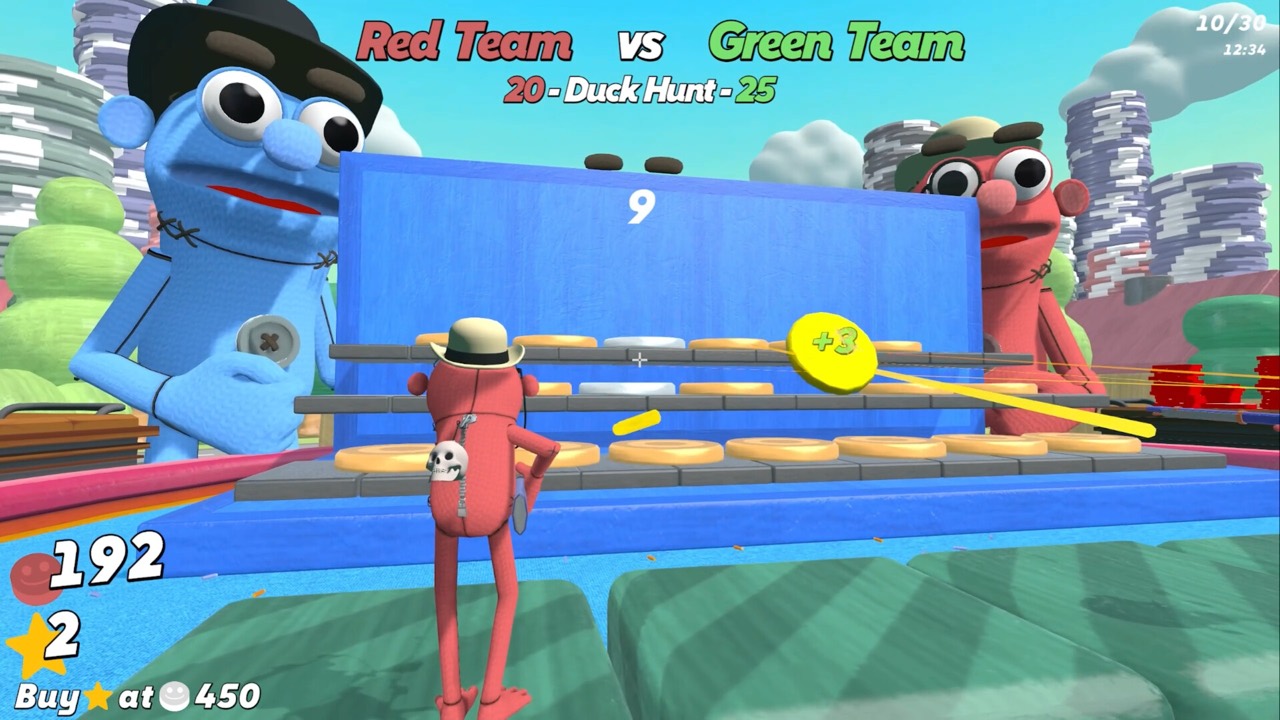
Every round opens with a card naming the minigame and its objective. Players then wager chips on a pick before the round is played. Anyone sitting out still bets and watches from the betting table.
Winning picks grow your chips, which you convert into stars at a price that rises during the match. Debt from loans is collected at final scoring, and the player with the most stars wins. Our beginner guide covers each step of that loop.
Finding Players and Getting Help
If your group is short, the developer's website links to the official Blast Furnace Games Discord for finding people to play with. Public sessions are the other option. Both work for filling a lobby toward the eight-player cap.
Steam lists Windows and macOS, but whether players on different operating systems can share a lobby has not been confirmed. If your group is mixed, test with one friend first before planning a big session. The developer's site also describes the Discord as the place to chat with the team and hear about updates first.
Spectating Between Your Rounds
Not everyone plays every round. In 1v1 and some other rounds, the players who sit out watch from the betting table. The publisher says they still have a stake and can move around the table to watch.
That keeps a full eight-player lobby busy. Spectators pick a contestant, place a bet and follow the round they bet on. Our how to bet on other players guide shows what the spectator wager card looks like.
Language Support for International Groups
Mixed-language groups are well covered. Steam lists 13 supported languages: English, French, Italian, German, Spanish, Japanese, Korean, Polish, Brazilian Portuguese, Russian, Simplified Chinese, Turkish and Ukrainian. Players can choose any of them for the game's interface.
Minigame objectives are shown on the round card, so reading it in your own language helps new players keep up. That matters in a game where you bet before every round. A player who understands the objective makes better wagers.
Tips for a Good First Game Night
The fun of the game is betting on each other, so a little preparation goes a long way. Everyone should know the basic loop before the first round. These habits help new groups settle in quickly.
- Send new players our beginner guide before the session.
- Start with a modest round count while everyone learns.
- Explain that spectators still bet, so nobody is ever just waiting.
- Warn players that all-in bets can lead to debt. See betting risk.
- Stars earned can be spent on cosmetics after play. See how to unlock cosmetics.
Frequently Asked Questions
How many players can play WE'RE ALL IN! together?
Up to eight players online. Steam also lists single-player.
Can I play with friends in a private lobby?
Yes. The publisher confirms private sessions for friend groups and public sessions for playing with others.
Does every player need their own copy?
Yes. Multiplayer is online, and Steam does not list local or split-screen play.
Where can I find people to play with?
Join a public session, or use the official Blast Furnace Games Discord linked from the developer's website.
Official Trailer
Sources and Further Reading
- Blast Furnace Games — WE'RE ALL IN! (official website)
- Black Lantern Collective — launch announcement (Nov 20, 2026)
- Blast Furnace Games — WE'RE ALL IN! on Steam
- Blast Furnace Games — Demo Patch v1.02 (Oct 17, 2026)
- KongMNG Game Wire — WE'RE ALL IN! launch report (Nov 20, 2026)
- GamersExtra — WE'RE ALL IN! launch report (Nov 20, 2026)
- InfernoMS — WE'RE ALL IN! four-player session (YouTube, Nov 20, 2026)
- CaRtOoNz — WE'RE ALL IN! session (YouTube, Nov 12, 2026)